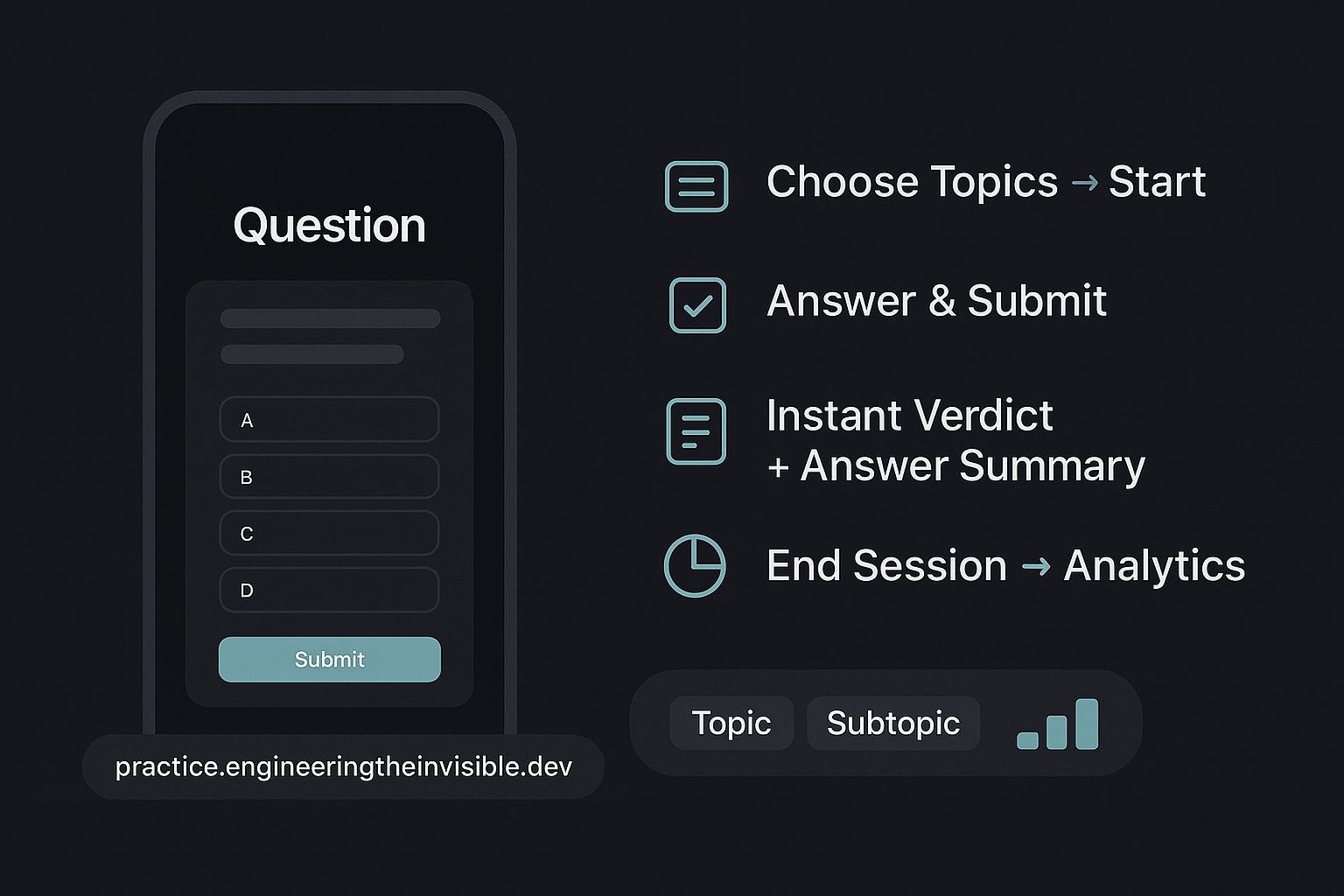
How it Works
-
Step 1Set your profile
Add name, email, topics, level.
-
Step 2Practice timed MCQs
Single/multiple answers, countdown, auto-submit.
-
Step 3Review & improve
Instant verdicts, summaries, session stats.
Frequently Asked Questions
How do timers and auto-submit work?
The countdown is 75s (Beginner), 60s (Intermediate), 45s (Advanced). When it hits zero, we auto-submit your current
selection (or a blank if none) and prefetch the next question without rendering it. You decide when to click Next.
Do you support multiple-answer questions?
Yes. Options render as checkboxes and you can select all that apply.
For
"single", you’ll get radio buttons.
What data is stored locally?
Your profile (name, email, topics, level) and session stats/records are stored in
localStorage on this device only.
Use Clear to remove them anytime.
Why doesn’t the next question load automatically?
We prefetch after each submit but only render on your Next click to avoid needless server calls if you’re idle.
It’s faster and more respectful of quotas.
How are accuracy and stats calculated?
We track total time, loaded, attempted, evaluated, and correct. Accuracy =
correct / evaluated. When you
end session, you can see this analytics by subtopic wise.
Can I add custom topics?
Yes—use the free-text field. Press Enter to add, click chips to select/remove. These feed into the request’s
domain.
how are correct answers highlighted?
After submit, correct options are highlighted in green; any chosen wrong options in red. A short success/failure flash appears on the card.
how would I know if "why" my answer was wrong?
After submit, Along with correct option we show a short summary explaining why correct answers are correct.
Disclaimer
- This app is for educational practice only and does not guarantee job offers or exam outcomes.
- Questions and explanations may contain inaccuracies and/or duplicacies. Verify with official documentation and reputable sources.
- Timing and auto-submit are best-effort; network issues may affect submission or feedback.
- Your profile and session data are stored locally on your device. Backend requests may be logged for quality and abuse prevention.
- We are not affiliated with any of the mentioned technologies or companies unless explicitly stated.